
Discover Auracast: A More Accessible Future for Listening
Imagine walking into a community venue, lecture, church or theatre and hearing the presentation clearly through your own compatible hearing devices.
This is one of the exciting possibilities of Auracast broadcast audio technology — and the focus of our recent Hear Here Australia information night.
Bringing our community together
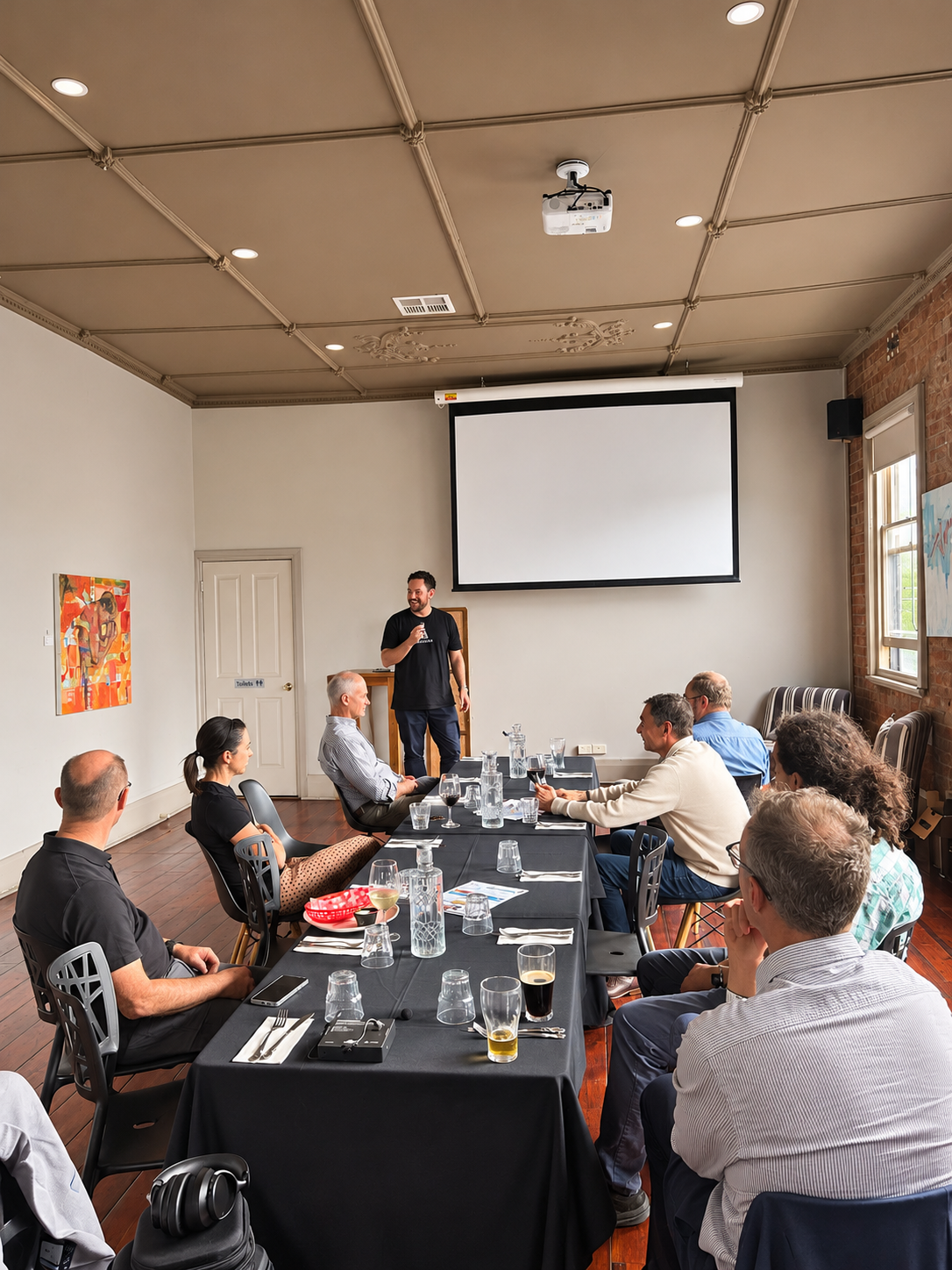
On Tuesday 10 November 2026, Hear Here Australia welcomed community members, hearing professionals and people interested in accessible technology to our Discover Auracast Information Night at the Duke of Brunswick Hotel.
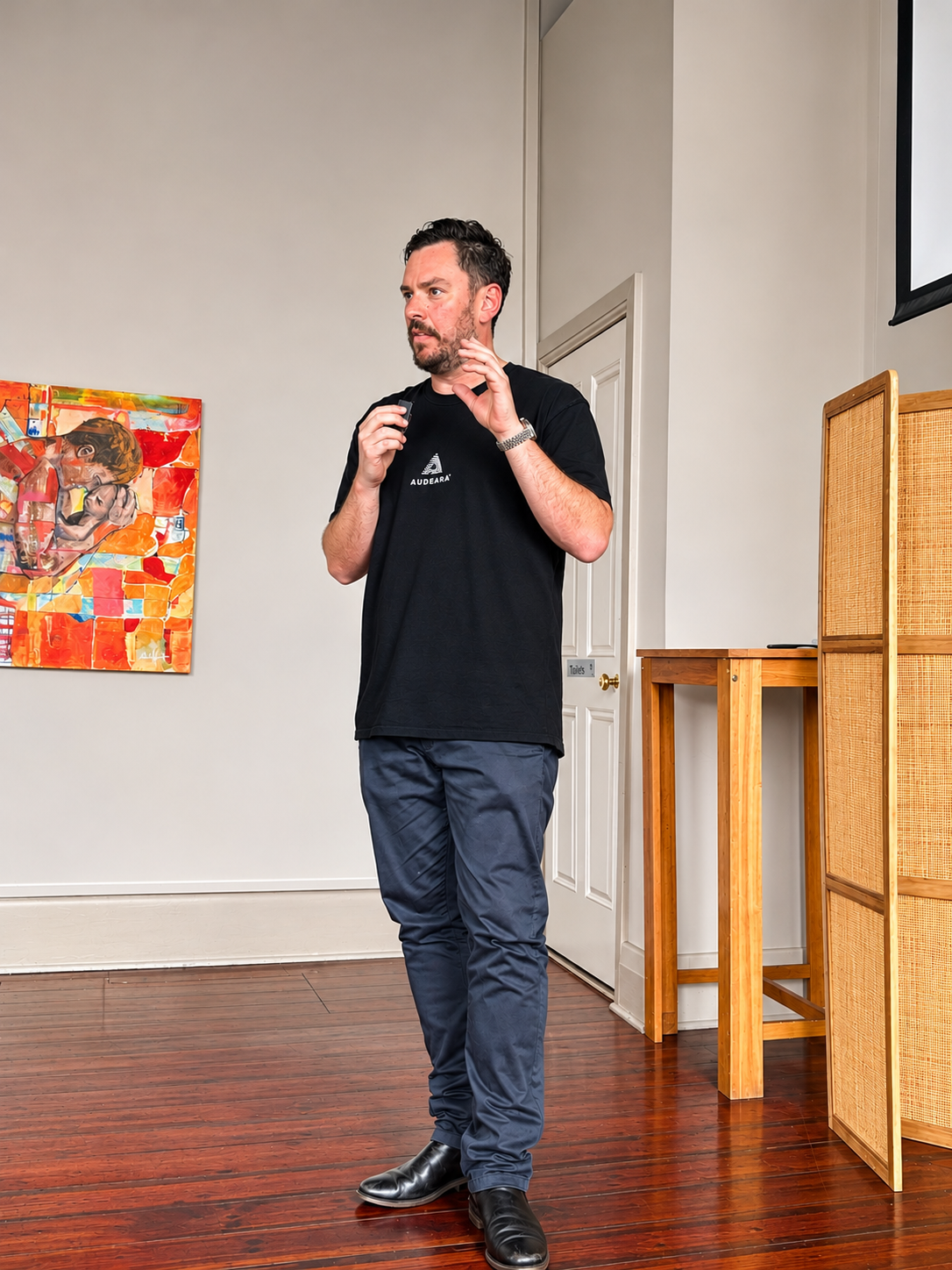
Our guest presenter, Rob from Audeara, introduced Auracast technology, demonstrated how it works and explored what it could mean for people with hearing loss.
The presentation was followed by questions, discussion and an opportunity to continue conversations over drinks and dinner in the beer garden.
What exactly is Auracast?
Auracast is a Bluetooth broadcast audio technology that allows sound from one source to be transmitted to multiple compatible listening devices at the same time.
Rather than connecting a single pair of headphones to a phone or television, an Auracast transmitter can broadcast audio that multiple people can choose to receive.
Think of it like Wi-Fi for sound.
A venue broadcasts an audio signal, and people with compatible equipment can select that broadcast and listen through their own devices.
The analogy is useful, although Auracast uses Bluetooth technology rather than Wi-Fi.
How does it work?
- The sound is captured. A microphone, television, computer or existing venue sound system provides an audio signal.
- An Auracast transmitter broadcasts it. The audio is transmitted using Bluetooth broadcast technology.
- Listeners select the broadcast. People with compatible devices can connect to the available audio stream, sometimes using a phone or other assistant device.
- The audio reaches their ears directly. The listener hears the broadcast through compatible hearing aids, cochlear implant sound processors, headphones or earbuds.
The aim is to provide a clearer listening experience, particularly where distance, background noise or room acoustics make understanding speech difficult.
What makes Auracast different?
One of the advantages of Auracast is that people can listen to the same audio broadcast while adjusting their listening experience independently.
For example, two people attending the same presentation may need very different listening volumes. With compatible equipment, each person can adjust their own volume without changing the sound level for everyone else in the room.
Auracast also does not require an internet connection. It uses Bluetooth technology to transmit audio locally, so a venue does not need to provide Wi-Fi access simply for listeners to receive an Auracast broadcast.
One presentation. Multiple listeners. Individual listening preferences.
Auracast creates opportunities for people to share the same experience while listening in a way that suits their individual needs.
Making events more accessible
Accessibility involves more than simply turning up the volume.
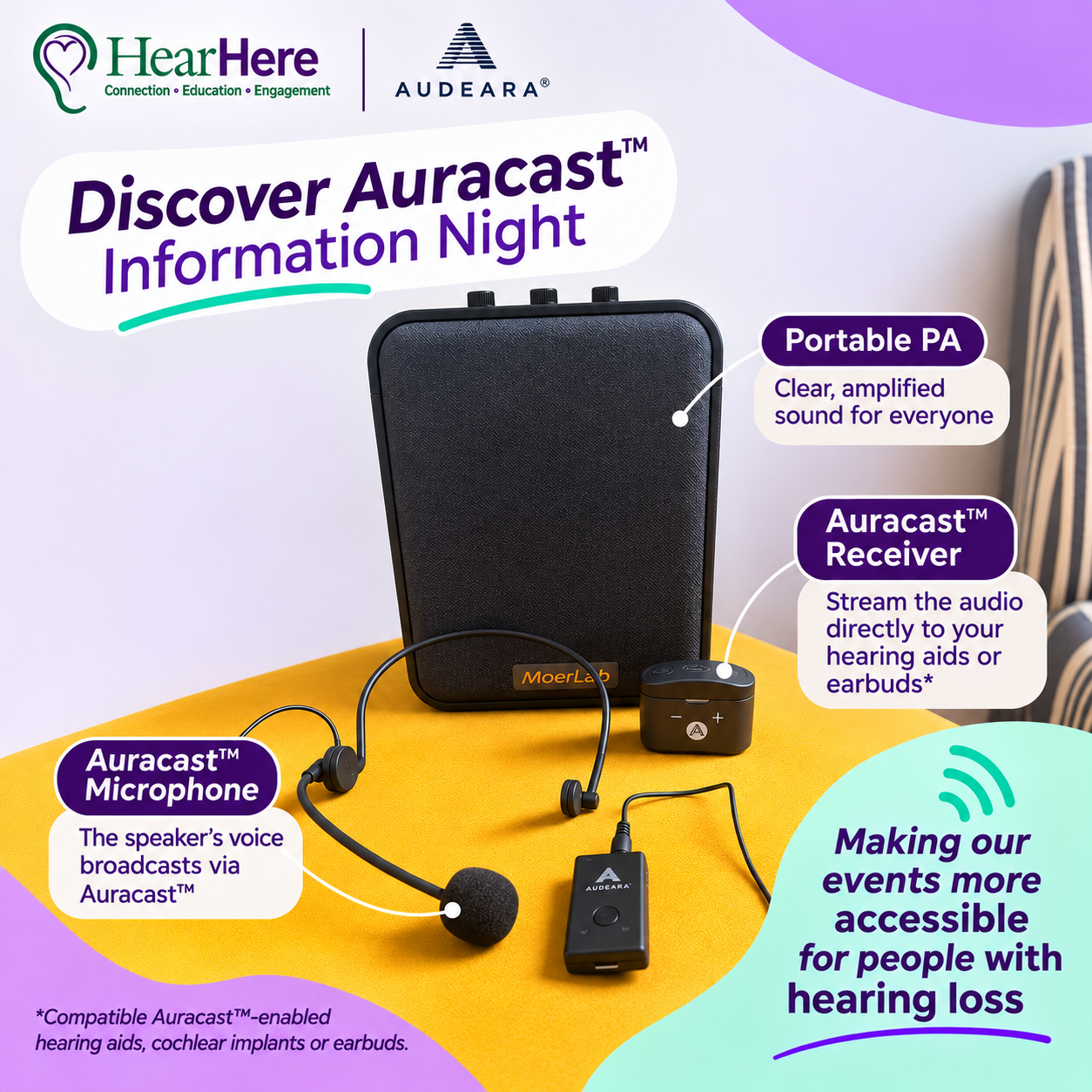
At our information night, the presentation was supported by a public address system and Auracast microphone technology, demonstrating how different audio systems can work together to improve access.
Accessible listening should be part of the venue experience — not something people with hearing loss must solve entirely on their own.
What did we learn?
One broadcast, many listeners
Auracast can transmit audio to multiple compatible devices simultaneously, creating new opportunities for shared listening in public spaces.
Compatibility matters
Not every Bluetooth hearing aid, cochlear implant processor or pair of headphones supports Auracast. Compatibility needs to be checked for each device.
Hearing loops still matter
Auracast is an additional accessibility option, not an immediate replacement for traditional hearing loops. Existing technologies will continue to be important.
Receivers can bridge the gap
People without Auracast-compatible hearing devices may be able to use a separate receiver and headphones, or a neckloop with telecoil-equipped hearing devices.
Community venues can benefit
Churches, community centres, retirement villages, educational spaces and meeting venues are potential locations for Auracast installations.
Inclusion is the goal
The technology is only one part of accessibility. Clear communication, staff awareness and inclusive venue practices remain essential.
Will Auracast work with my hearing aids?
This was one of the most important topics discussed during the evening.
Some newer hearing aids and cochlear implant sound processors support Auracast, while others may be described as "Auracast ready".
However, being Auracast ready does not necessarily mean the feature is currently available or activated. Some devices may require manufacturer software updates, and others may not support Auracast at all.
Our advice: Before purchasing new hearing devices specifically for Auracast, ask your hearing care professional to confirm the exact model's current compatibility, available features and any additional equipment required.
If your current hearing aids have telecoils, a compatible external Auracast receiver and neckloop may provide another way to access broadcasts.
How can I check compatibility?
Start by checking the exact make and model of your hearing aids, cochlear implant sound processors, earbuds or headphones. Your manufacturer or hearing care professional can help confirm whether Auracast reception is supported.
The Hearing Loss Association of Maine has published a useful one-page guide listing hearing devices reported to support Auracast as of September 2026. It includes selected software and activation requirements.
The official Bluetooth Auracast product directory includes headphones, earbuds, transmitters, receivers and other equipment. Look specifically for listening devices that support Auracast reception.
These resources are useful starting points, not guarantees of current functionality. The September 2026 hearing-device guide is a dated third-party reference, and some products may require software updates, an assistant device or other equipment. Confirm compatibility with your hearing care provider or manufacturer.
Find an Auracast-compatible venue near you
Want to experience Auracast for yourself?
Auracast is beginning to appear in public spaces, including theatres, places of worship, community venues and other locations.
HearFinder is an online directory that helps people discover venues offering Auracast and other assistive listening technologies, including locations in Australia.
Search for venues near you, explore the listening technology available and check accessibility options before your visit.
Find an Auracast VenueTip: Check that the venue specifically offers Auracast, as some locations may provide hearing loops or other assistive listening systems instead. Contact the venue to confirm availability before visiting.
Auracast questions answered
These questions reflect the practical topics discussed during our information night, together with additional information to help you explore the technology further.
Is Auracast the same as ordinary Bluetooth?
No. Most people are familiar with Bluetooth as a way of connecting two devices, such as a smartphone to a pair of hearing aids or headphones. This is typically a direct, one-to-one connection.
Auracast works differently. It allows an audio source, such as a microphone, television or venue sound system, to be connected to an Auracast transmitter, which then broadcasts the sound to multiple compatible listening devices simultaneously.
For example, at a presentation, everyone with compatible equipment could tune into the same Auracast broadcast and listen through their own hearing aids, cochlear implants or headphones.
The important distinction is that having Bluetooth does not automatically mean your hearing devices support Auracast. They must specifically support Auracast reception.
Do I need hearing aids to use Auracast?
No. Auracast isn't just for people with hearing loss. Compatible headphones, earbuds, hearing aids and cochlear implant sound processors can receive Auracast broadcasts, provided they support the technology.
Wondering which hearing devices may be compatible? The Hearing Loss Association of Maine has published a helpful guide listing hearing aids and cochlear implant sound processors reported to support Auracast as of September 2026.
View the Auracast-Compatible Hearing Devices Guide (September 2026 PDF) →
You can also explore products using the official Bluetooth Auracast product directory .
Important: Not all Bluetooth-enabled hearing aids or cochlear implant sound processors are Auracast-compatible. The September 2026 guide is a dated third-party reference, not a continuously updated list. Ask your audiologist or hearing care provider to confirm whether your specific make and model currently supports Auracast reception, including any software updates or additional equipment required.
Do I need internet or Wi-Fi?
No. Auracast uses Bluetooth technology and does not require an internet connection to receive the audio broadcast.
Some devices may use a smartphone or an app to help discover and select broadcasts, but the audio itself is transmitted using Bluetooth.
Can multiple people listen at the same time?
Yes. Auracast is designed to allow multiple compatible devices to receive the same audio broadcast. This is one of its major advantages for presentations, public spaces and shared listening environments.
Can I adjust the volume independently?
Yes, with suitable compatible listening equipment, each person can adjust their own listening volume without changing the volume for everyone else.
This can be particularly helpful when people have different hearing and listening needs.
Do I have to pair my hearing aids with the venue?
Auracast is designed around selecting an available broadcast rather than traditional one-to-one Bluetooth pairing.
The exact method of selecting a broadcast depends on the device. Some people may use a smartphone, an app or another compatible assistant device.
Can Auracast replace a hearing loop?
Auracast may provide an alternative or additional listening system, but hearing loops remain important for people using telecoil-equipped hearing devices. Venues should consider the needs of their existing users before changing accessibility systems.
What if my hearing aids are not compatible?
Depending on the system installed, you may be able to use an external Auracast receiver with headphones or a neckloop. Availability and compatibility will depend on the equipment used.
What does "Auracast ready" mean?
It may indicate that a device has hardware intended to support Auracast but that the feature is not necessarily enabled yet.
Check the manufacturer's current specifications and software availability rather than assuming that an update is guaranteed.
Is Auracast expensive for venues?
Costs depend on the venue, its existing sound equipment, coverage requirements and installation needs. These may include the transmitter, connection to an existing sound system, installation and any receivers needed for visitors without compatible devices.
Some smaller venues may be able to use relatively simple equipment, while larger or more complex spaces may require a professionally designed installation. Venues should obtain advice and a quotation based on their individual requirements.
Can a church or community centre install it?
Yes, these are among the types of venues that may benefit. The best installation approach will depend on the venue's existing microphones, speakers, audio system and accessibility requirements.
Does Auracast make background noise disappear?
Not entirely. Auracast delivers the broadcast audio directly to compatible listening equipment, which can improve access to the intended sound. The listening experience still depends on device settings, the quality of the source audio and the individual listener's needs.
Further Learning & Resources
Interested in learning more about Auracast? Whether you're exploring the technology for your own hearing devices or considering accessibility improvements for a community venue, these resources can help.
1. Understanding Auracast – Audeara
Audeara provides an introduction to Auracast, including how the technology works, its benefits for shared listening, common questions and examples of Auracast equipment.
This is a useful starting point for anyone who attended our information night and would like to revisit the technology Rob discussed.
Explore Auracast with Audeara →2. What is Auracast? – Bluetooth SIG
The Bluetooth Special Interest Group is the organisation responsible for Bluetooth standards and specifications.
Its Auracast website explains broadcast audio technology, how it works and its potential applications in public and personal listening environments.
Learn about Auracast technology →3. Auracast-Compatible Hearing Devices – September 2026 Guide
The Hearing Loss Association of Maine has published a helpful one-page reference listing hearing devices reported to support Auracast as of September 2026.
The guide includes hearing aid and cochlear implant manufacturers and selected information about software updates or additional requirements.
This is a useful starting point if you're wondering whether your existing hearing devices may be compatible with Auracast.
View the September 2026 Hearing Device Compatibility Guide (PDF) →This is a third-party guide dated September 2026. Device compatibility and software availability may change. Always confirm current functionality with your hearing care provider or manufacturer.
4. Find Auracast-Compatible Products
The official Bluetooth Auracast product directory lists products and identifies their roles, including transmitters, receivers and assistant devices.
Remember that not all listed products are listening devices, and availability or functionality may vary. Always confirm the exact model with the manufacturer or your hearing care professional.
Search the official Auracast product directory →5. Explore Auracast Equipment – Audeara
Curious about the equipment needed to broadcast or receive Auracast audio?
Audeara provides examples of broadcasters, transceivers, microphones and compatible listening products.
These examples can help explain the difference between equipment used by a venue to transmit sound and equipment used by an individual to receive it.
View Audeara's Auracast equipment →Product information is provided for education only. Hear Here encourages people to consider their individual needs and compatibility before purchasing listening equipment.
A note about hearing device compatibility
Auracast technology is continuing to develop, and the range of compatible products is changing.
If you're considering new hearing aids or cochlear implant equipment, we recommend discussing your individual needs and the latest compatibility information with your hearing care professional.
Thank you for being part of the conversation!
A very special thank you to Rob from Audeara for sharing his knowledge and helping us understand the possibilities of Auracast.
Thank you also to everyone who attended, asked questions and contributed to the discussion.
And of course, thank you to the Duke of Brunswick Hotel for hosting us and providing such a welcoming space to continue our conversations afterwards.
Events like these remind us that accessibility isn't just about technology — it's about bringing people together.